The Skill in Action: From CSV to Star Wars Graph with Claude Code and Zed
If you read Part 1, you know how this started: I wanted to build a Star Wars LEGO database, my AI agent kept hallucinating schema that didn’t exist, and fixing that problem turned into my first open source contribution to neo4j-contrib/neo4j-skills.
That post told the story. This one shows the work.
Here’s why it’s worth following along: if you’ve ever asked an AI agent to help you build a database and ended up with queries that run but return nothing – because the labels are wrong, the relationship types are invented, the properties don’t match – this is the workflow that solves that. The agent reads a schema file before writing a single line of Cypher. You define it once from your own data. Everything after is validated against it.
I’m not an engineer. I did this entirely in plain English, with Claude Code running alongside the project in Zed. No Cypher knowledge required – I still don’t have any.
Now let’s walk through it.
What the contribution actually did – in plain English
The Neo4j cypher skill already knew how to write Cypher. What it didn’t have was a way to work when there was no database to learn from.
The skill needs a live connection to read the schema – what nodes exist, what relationships exist, what properties they have. Without that, it guesses. And as I showed in Part 1, it guesses wrong. It wrote :Minifigure when the label was :Minifig. It wrote :CONTAINS when the relationship was :HAS_MINIFIG. Plausible. Incorrect. No way to know the difference without a schema.
What PR #32 added was simple: read the schema from a file first. Before the database exists. Before you’ve written a single import script. Before you know anything about Cypher yourself.
That one change means a complete beginner can now:
- Describe their data in plain English and get a schema file written from their CSVs automatically
- Have every Cypher query validated against it – labels, relationships, properties, directions
- Import their data correctly the first time
- Query it in plain English without knowing the query language
You don’t need to know what a node is. You don’t need to know what a relationship type looks like. You don’t need an existing database to copy from. The skill holds all of that knowledge. You just have to show up with your data.
What you need
Everything in this walkthrough is free. I know because I checked before I started – I wasn’t building something that required a subscription or a credit card to follow along.
Zed – the code editor we’re using. Download at zed.dev. Available on macOS, Windows, and Linux.
Node.js / npm – required to run the npx skills add command. Download at nodejs.org (LTS version). Check with node --version in your terminal.
Python – required to run the import scripts. Download at python.org (version 3.8 or later). Check with python --version in your terminal.
Claude Code – the AI agent that does the heavy lifting. Install instructions at claude.ai/code. Requires a Claude Pro or API account.
Neo4j Aura Free – your free cloud graph database. Sign up at console.neo4j.io. No credit card required.
The Rebrickable CSVs – free to download at rebrickable.com/downloads.
That’s the whole list. No local database, no server, no infrastructure to manage.
Step 1: Install the skill
Ctrl+` to open the built-in terminal.npx skills add neo4j-contrib/neo4j-skills/neo4j-cypher-skill
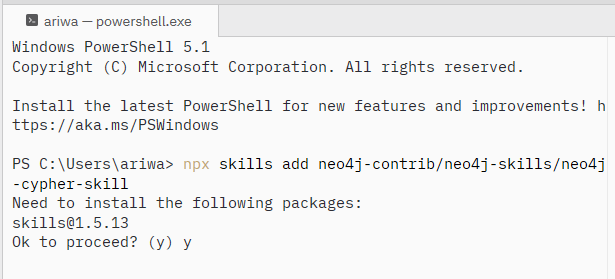
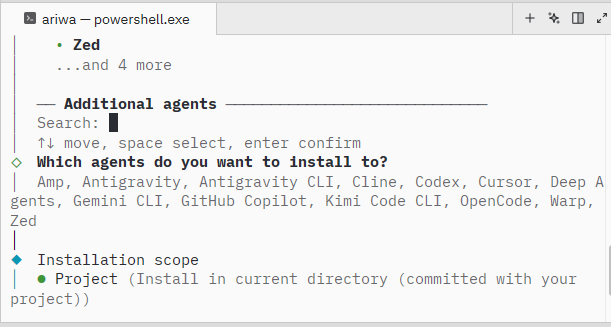
The CLI runs a security assessment before installing. When it completes, the skill is ready.
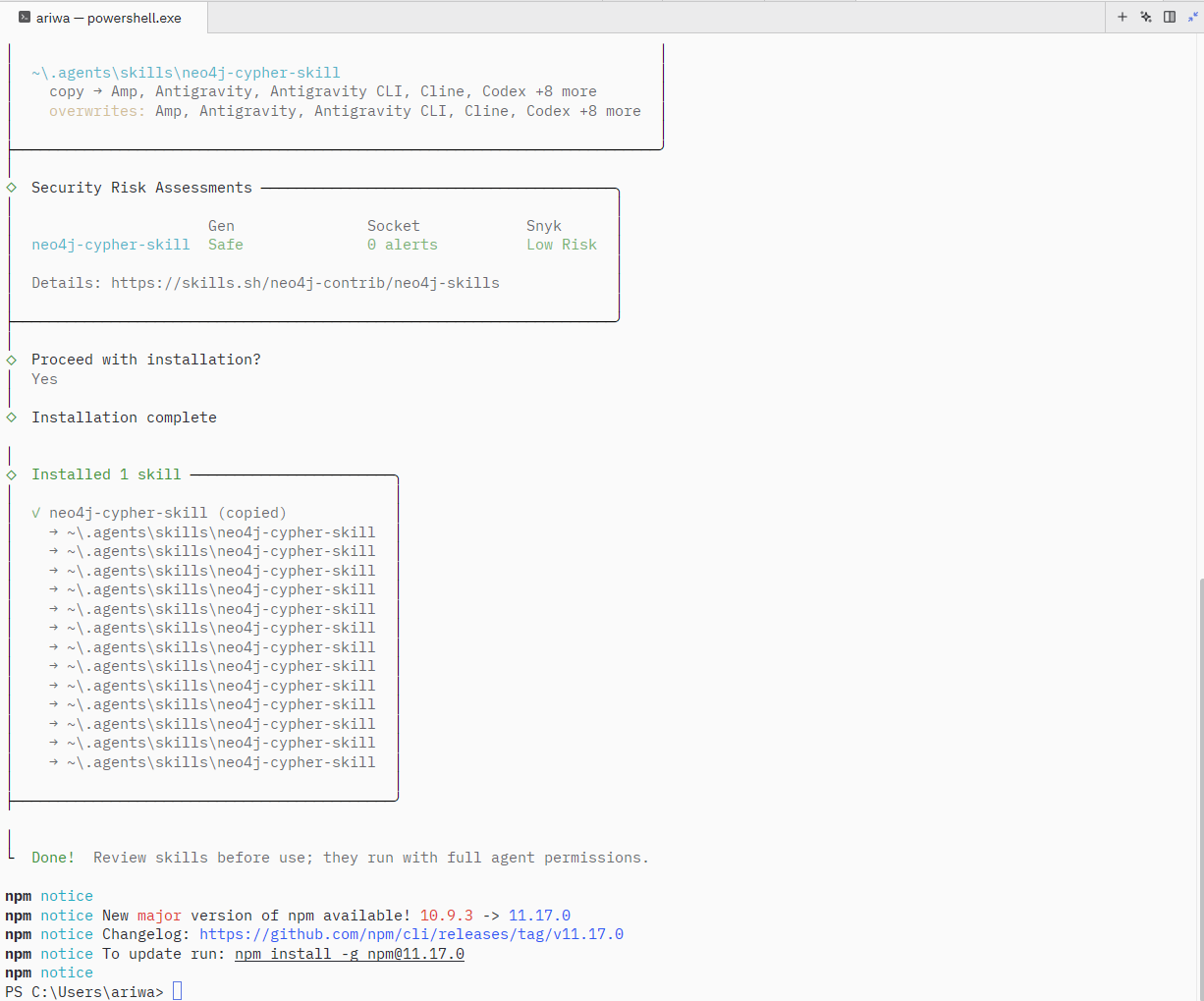
~\.agents\skills\neo4j-cypher-skill and Zed picks them up automatically.Step 2: Get the data
The dataset comes from Rebrickable – a community-maintained LEGO database with every official set, minifigure, part, and color as freely downloadable CSVs. No account required, updated daily.
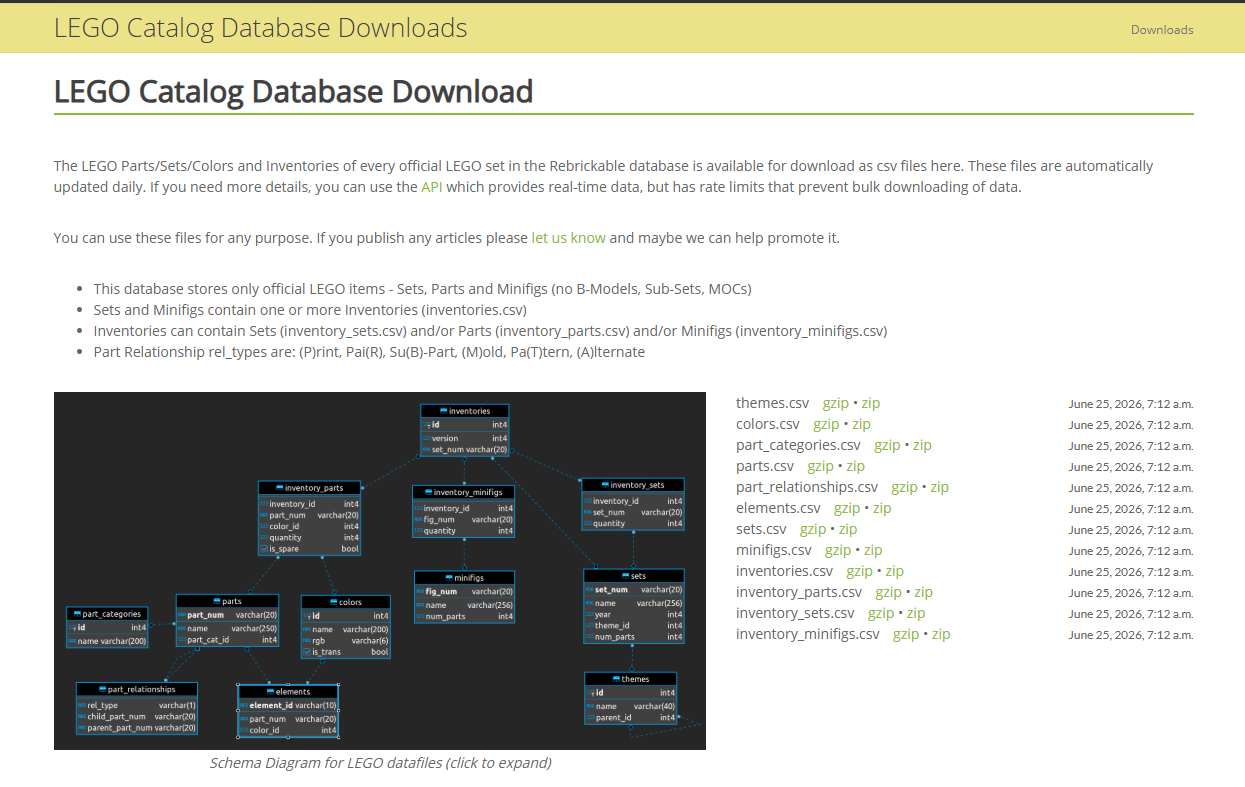
That schema diagram is worth a moment. It shows the relational shape of the data: sets belong to themes, inventories link sets to their minifigs. This is exactly what we’re going to turn into a graph.
themes.csvsets.csvminifigs.csvinventories.csvinventory_minifigs.csv
lego-starwars-csvs. Move the five zip files in. Select all with Ctrl+A, right-click, and choose Extract All into the same folder.lego-starwars-csvs.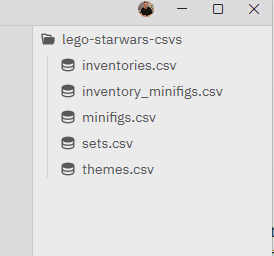
Step 3: Define the schema – before the database exists
And to be clear about what’s happening here: there is no Neo4j database running. No Aura instance, no local server, no connection string. Just CSV files and the skill.
That’s the gap the PR fills. Without a schema file, the cypher skill infers the schema – which is where hallucinated labels and wrong relationship types come from. With a schema file, every query is validated before it runs.
Ctrl+`, type claude, and hit Enter.
Use define_schema.py from the neo4j-cypher-skill to define a schema
for a Star Wars LEGO graph database using the CSV files in this project.
I want nodes for Theme, Set, and Minifig with relationships between them.
Claude Code reads the CSVs, builds the graph model, and asks permission to write lego-starwars-schema.json.
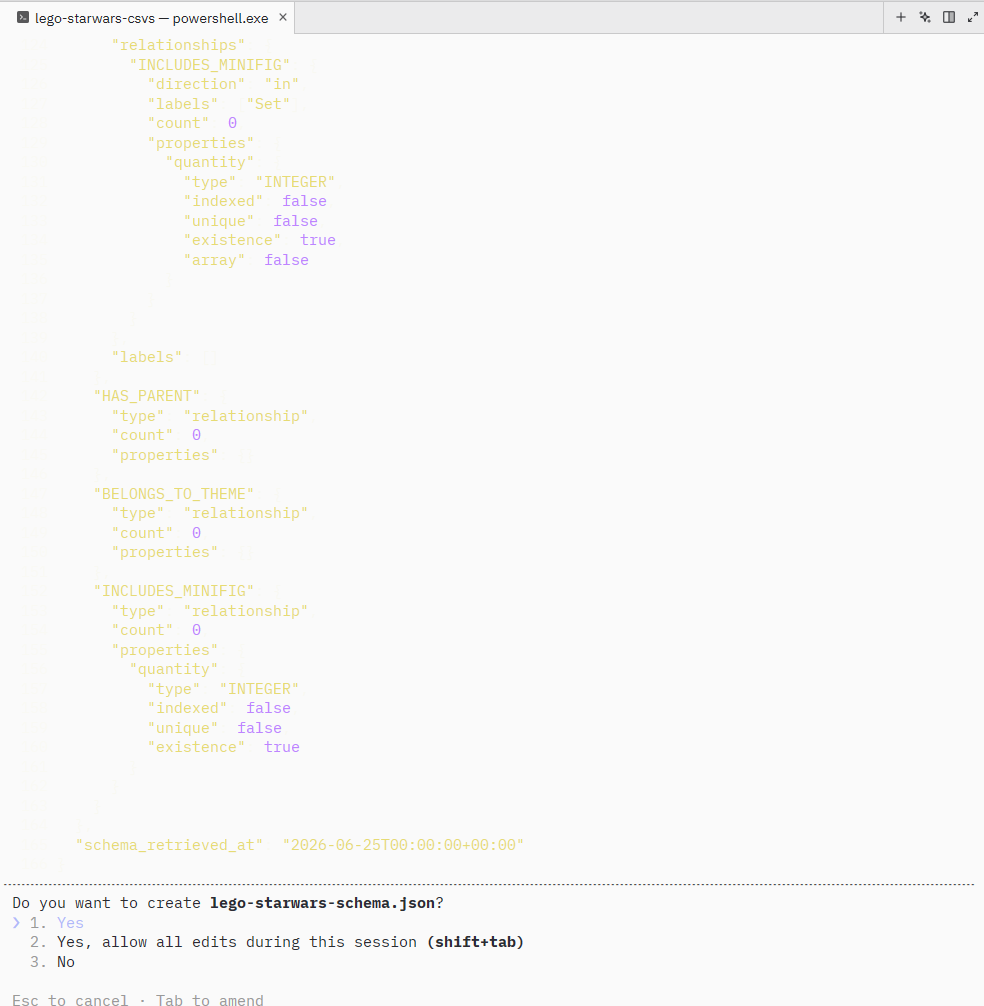
It writes the file and explains what it modelled and why – including the key insight that inventories and inventory_minifigs are join tables that become the INCLUDES_MINIFIG relationship with quantity as its property, not separate nodes.
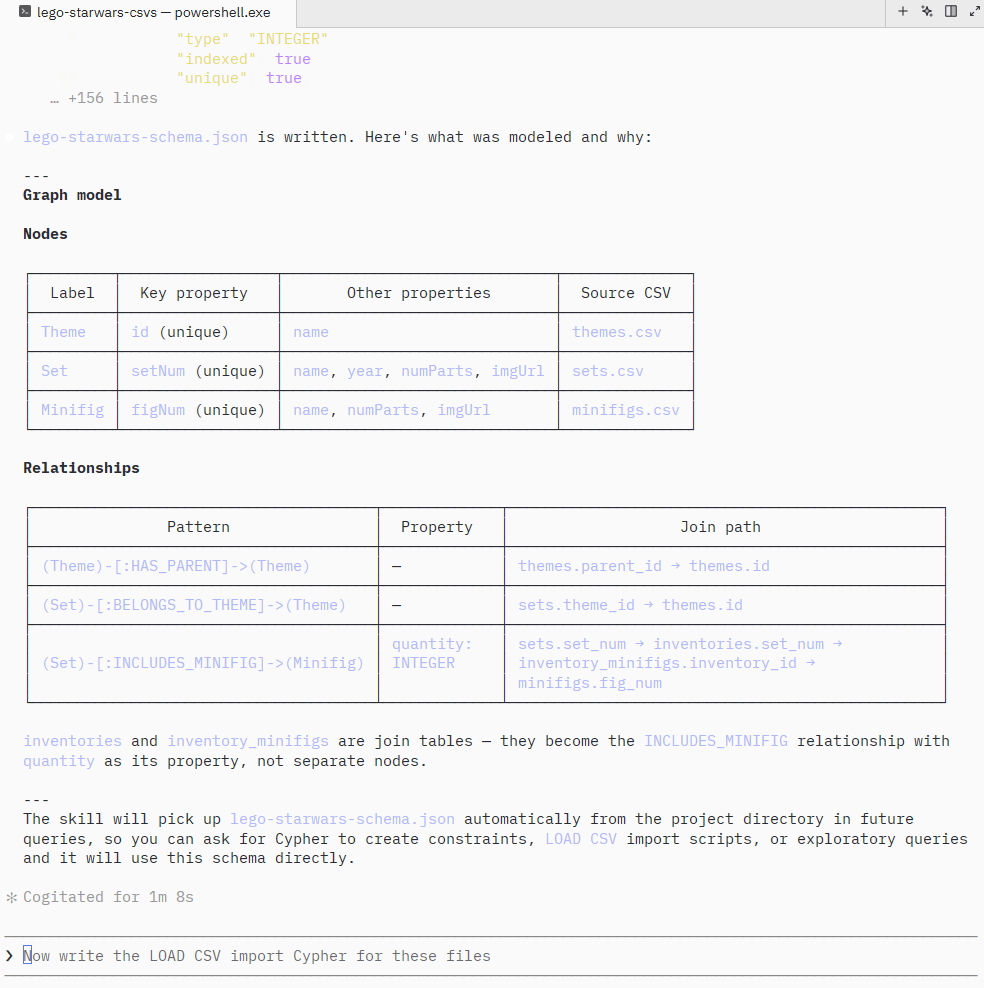
No database. No connection string. No server running.
The schema file now exists. Every Cypher query Claude Code generates from this point forward is validated against it – not guessed.
Step 4: The Empire Strikes Back – the first roadblock
Claude Code also wrote import.cypher alongside the schema. When you prompt it to run that against a live instance, it stops before executing a single line.
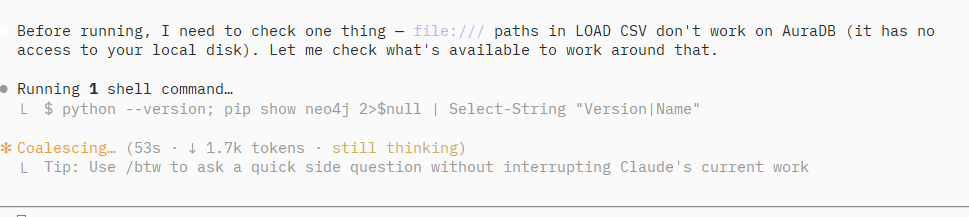
LOAD CSV with file:/// paths works against a local Neo4j instance because the database can read your disk. AuraDB is cloud-hosted – it has no access to your local filesystem. Rather than fail, Claude Code reasoned through it and pivoted entirely:
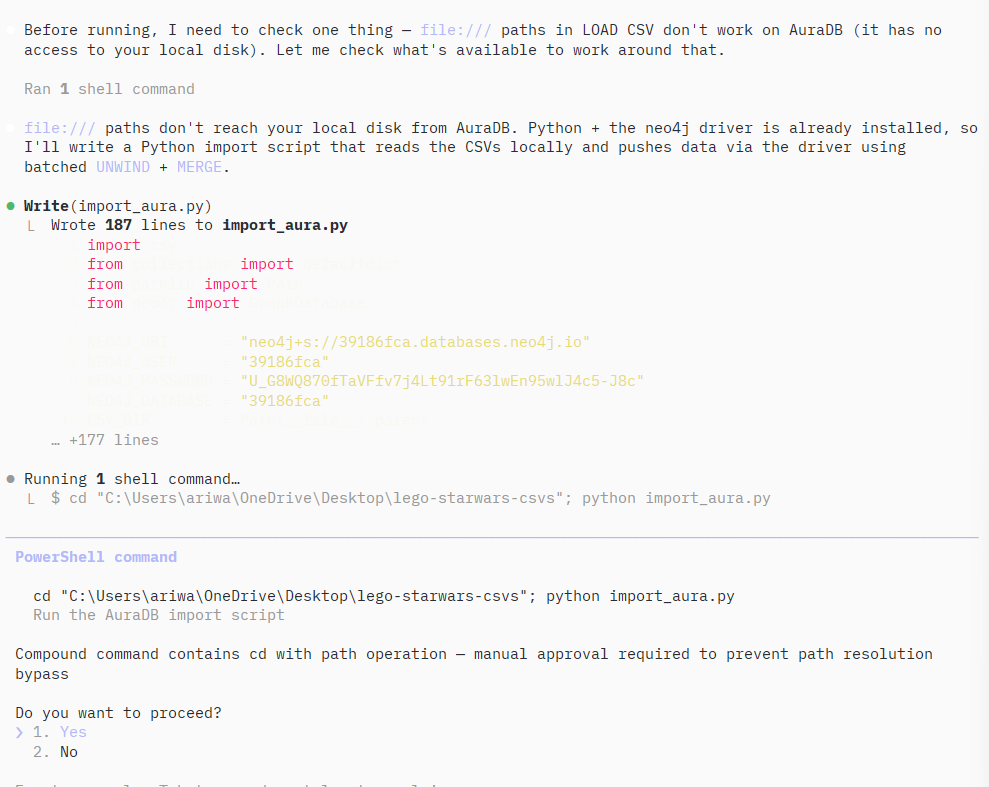
This is the kind of thing that costs an hour of Stack Overflow searching if you hit it alone. Claude Code caught it, explained it, and fixed it without being asked.
Step 5: Set up a free Neo4j Aura instance
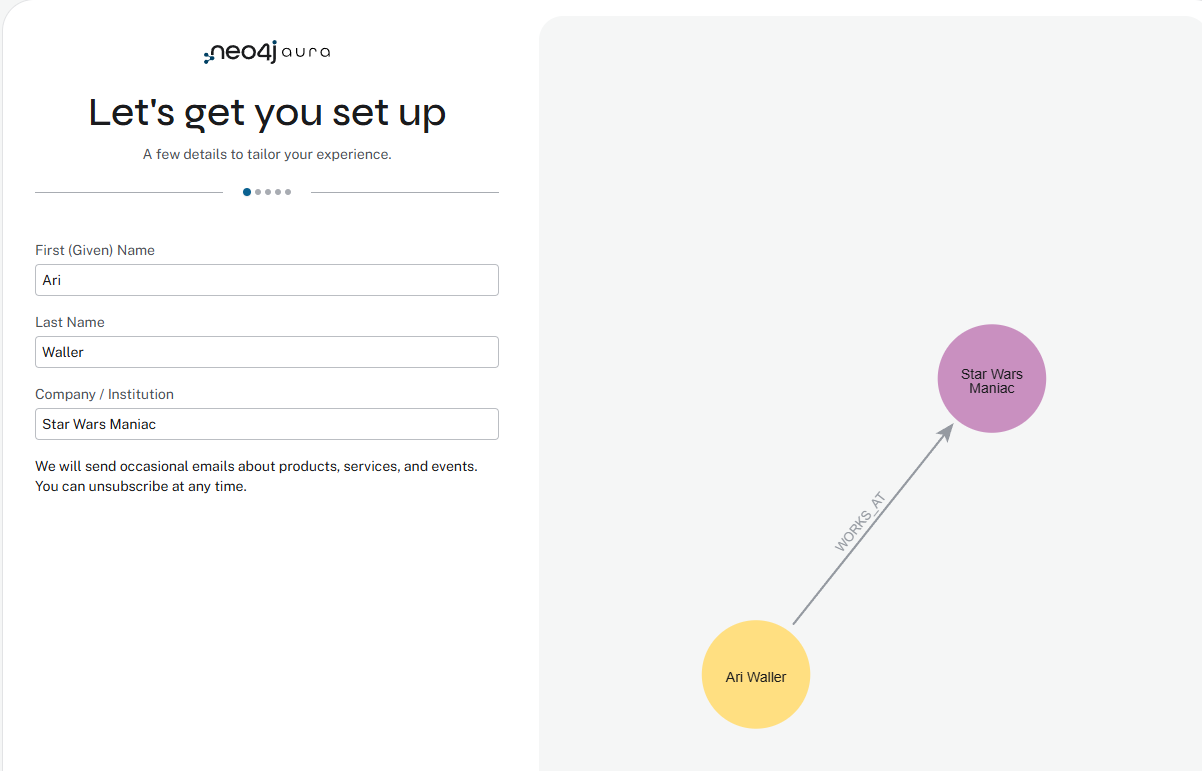
The onboarding builds a live graph of your answers as you fill in the form – you’re already thinking in nodes and relationships before you’ve written a single line of Cypher.
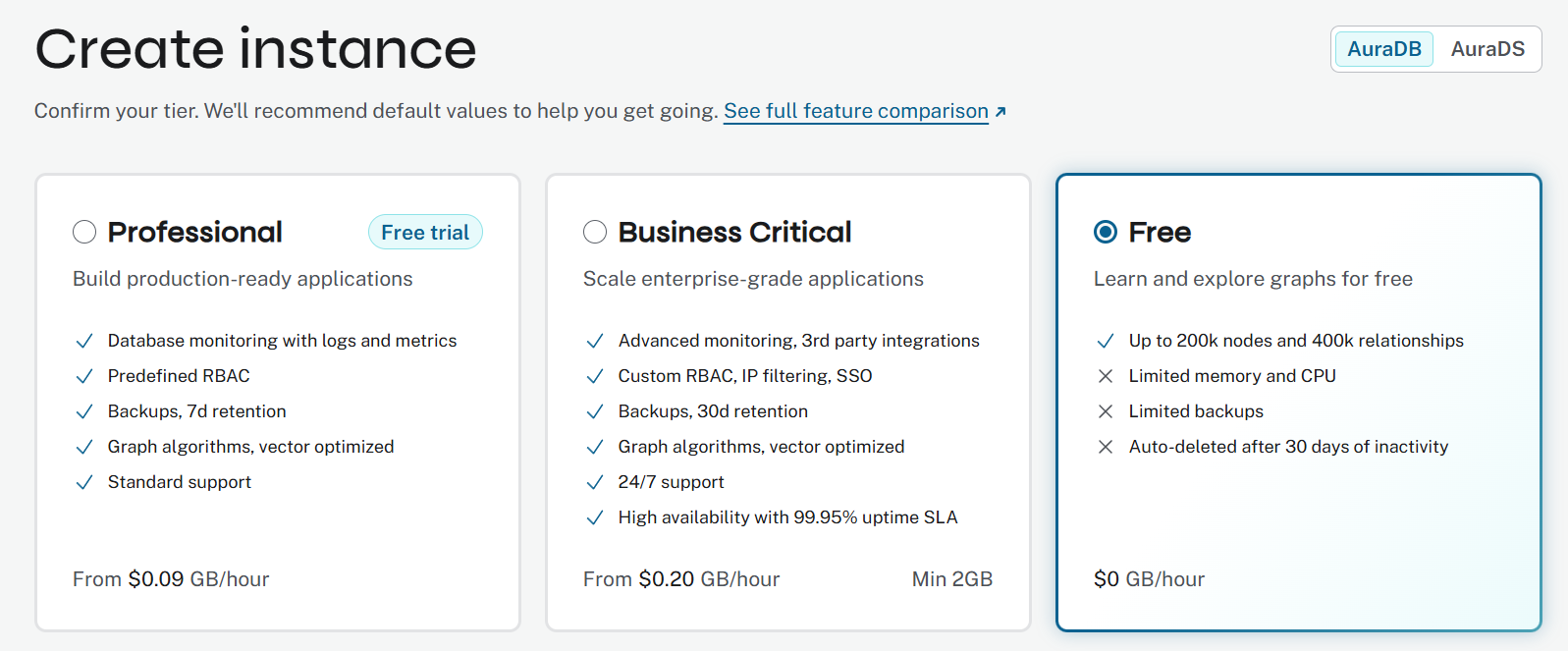
StarWars_Lego_DB and click Create.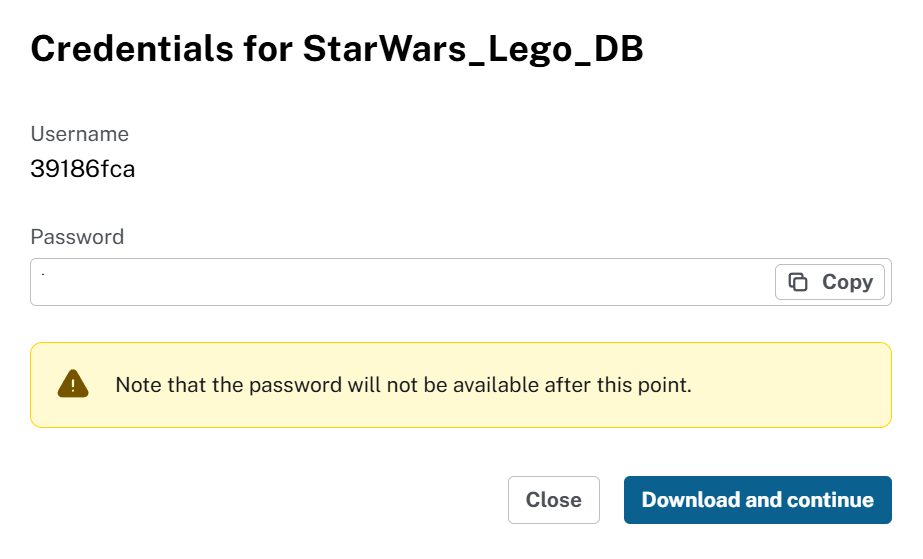
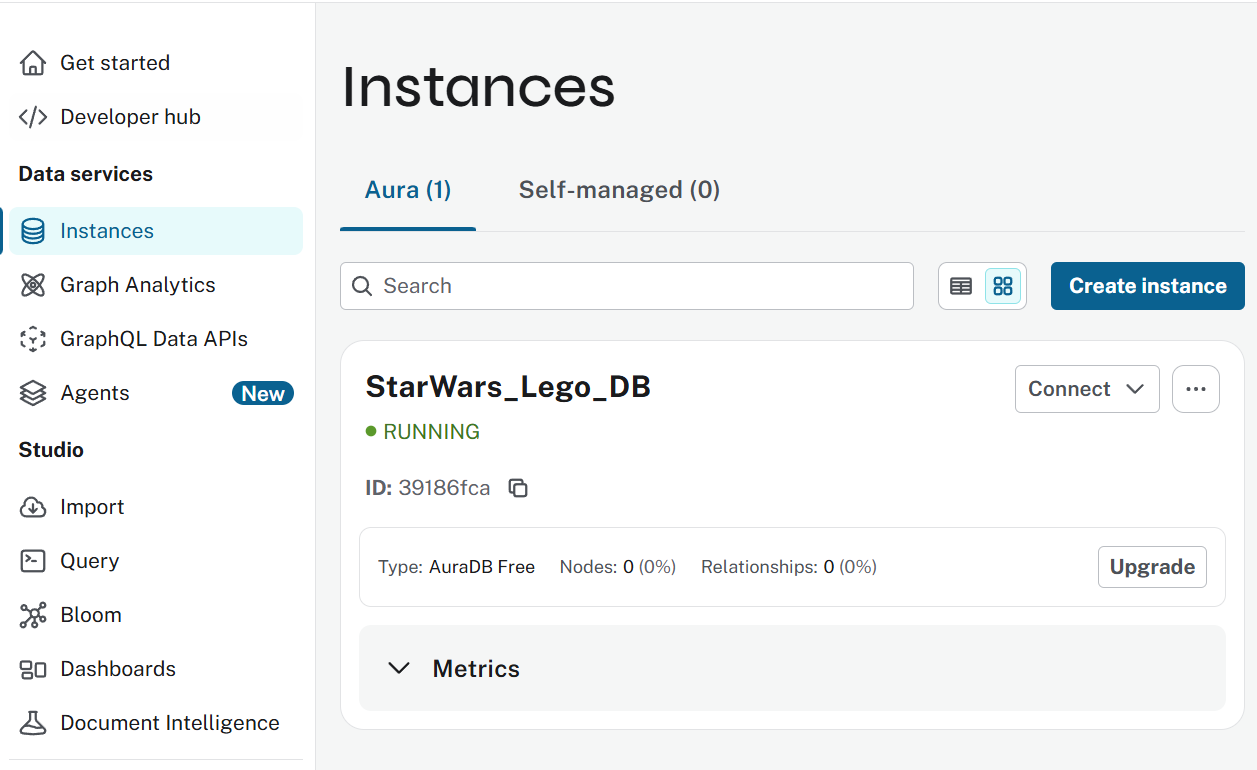
Within about 60 seconds your instance is running.
Step 6: Run the import
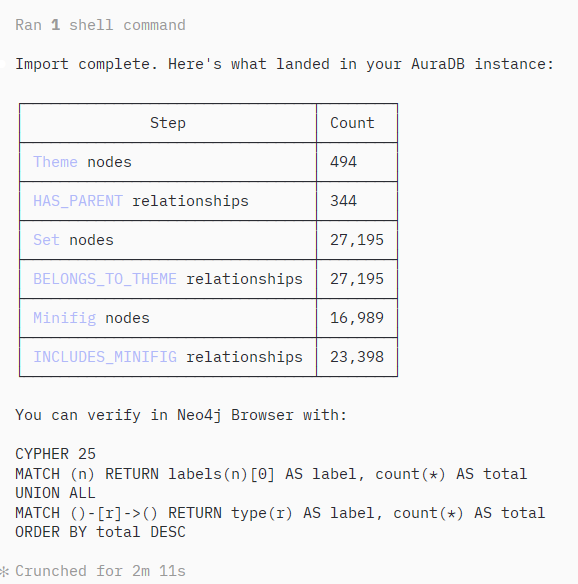
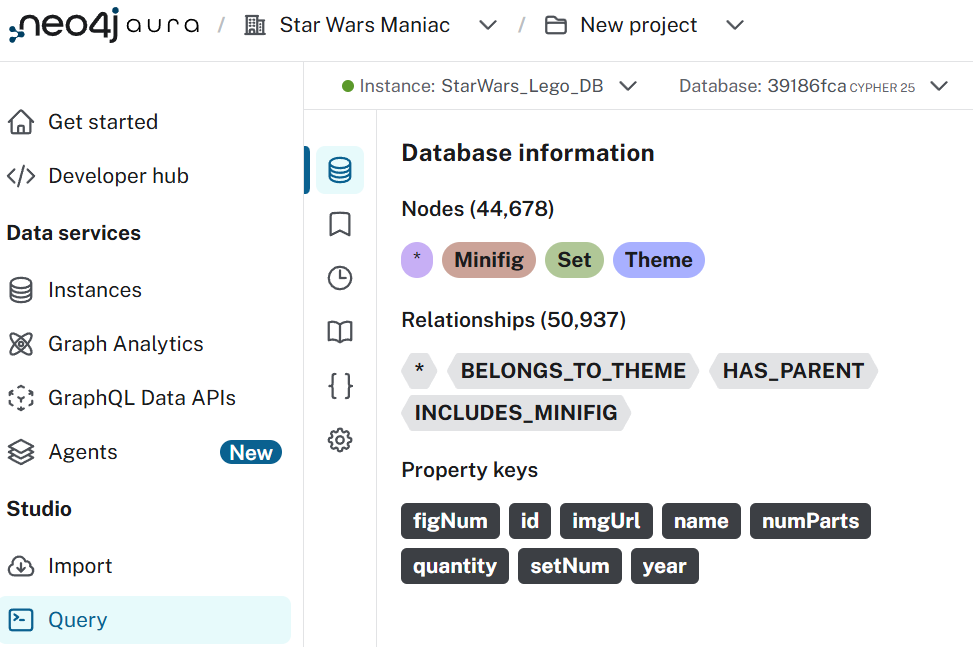
Claude Code runs import_aura.py and reports back.
Step 7: These aren’t the Star Wars themes you’re looking for
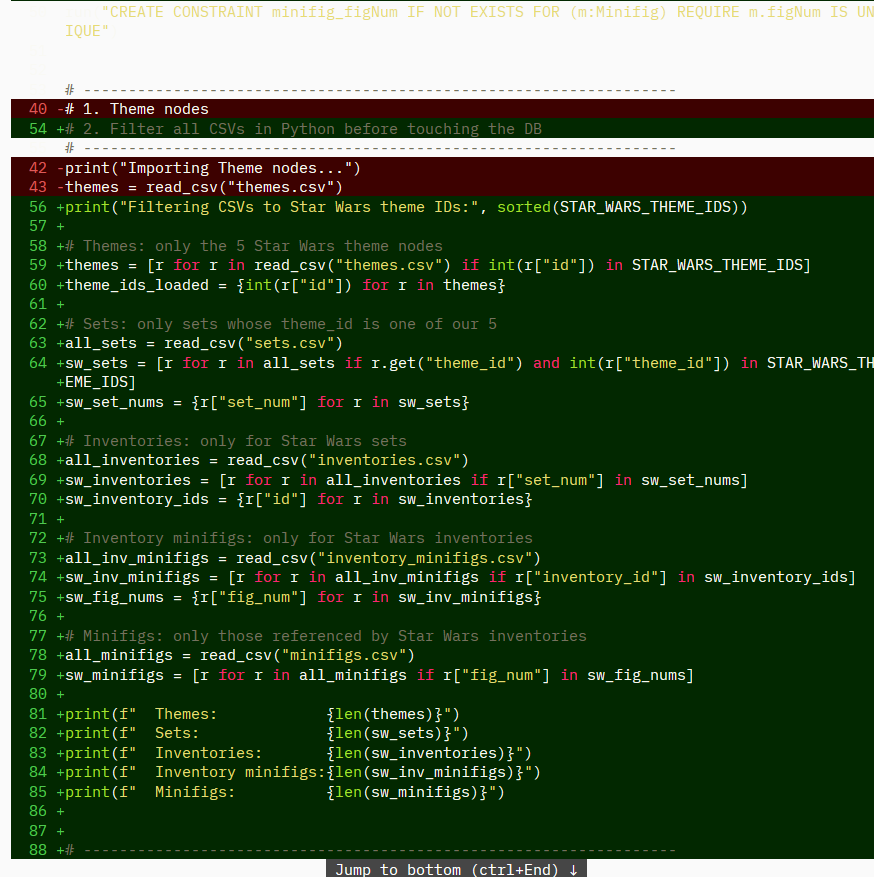
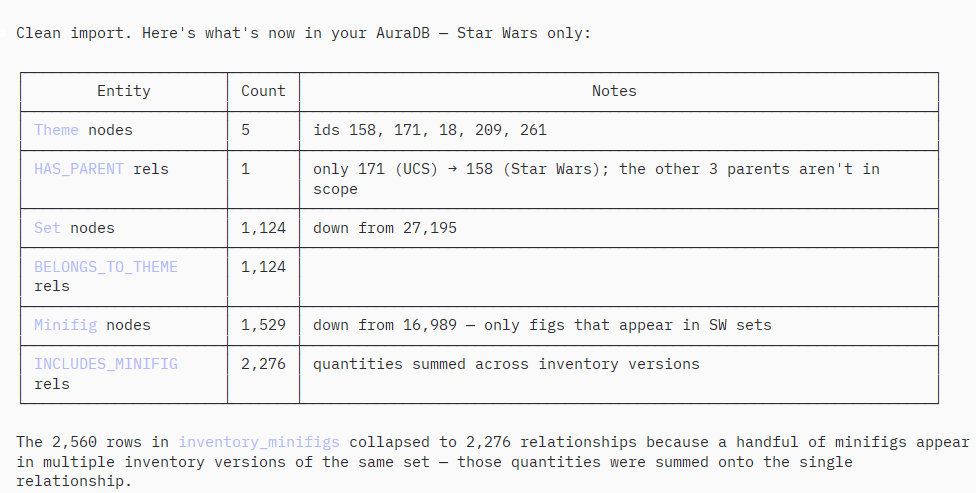
The Rebrickable CSVs contain every LEGO set ever made. We only want Star Wars.
Find all themes in the database that are related to Star Wars
It wrote and ran a graph traversal query using the HAS_PARENT relationship hierarchy. Initial result: 2 themes. I pushed back – I knew there were more than two.
Claude Code investigated with a diagnostic script and found the bug: the original query’s NOT EXISTS guard was too strict. There are actually 5 nodes named “Star Wars” in the data – the root theme plus sub-themes under Technic, Advent, and Mindstorms that were silently excluded.
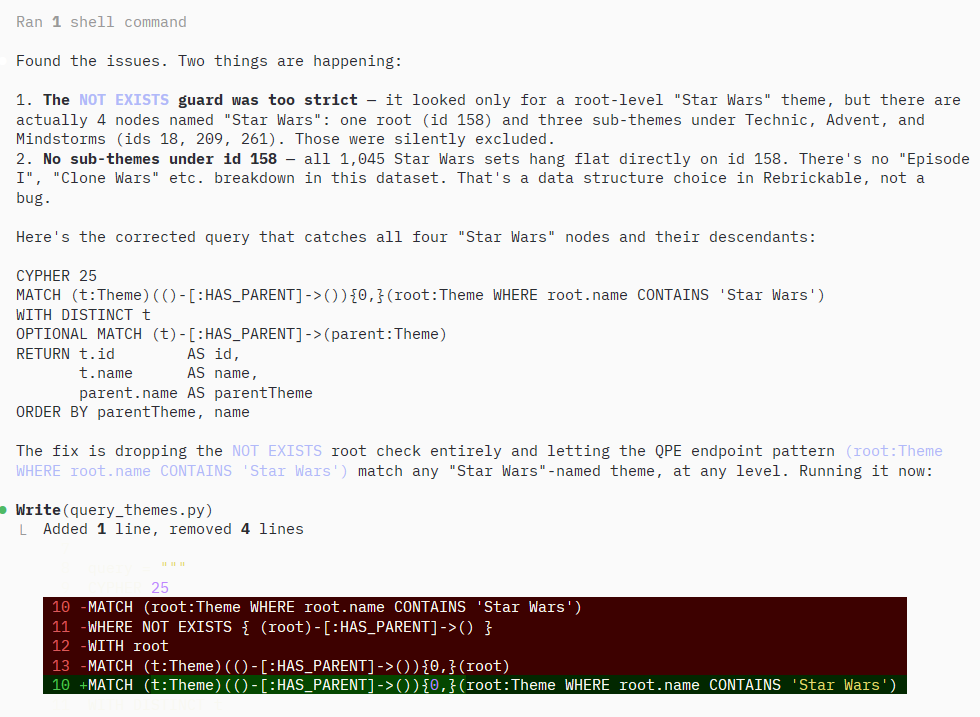
I pushed back using nothing but domain knowledge. I didn’t write a query. I didn’t debug the code. I just knew there were more Star Wars themes and said so. The agent investigated, found its own mistake, and corrected it.
(I’d built this database once before and found 4 themes. Now there are 5 – Rebrickable updates daily. The data reflects the real world.)
Step 8: These are the droids you’re looking for
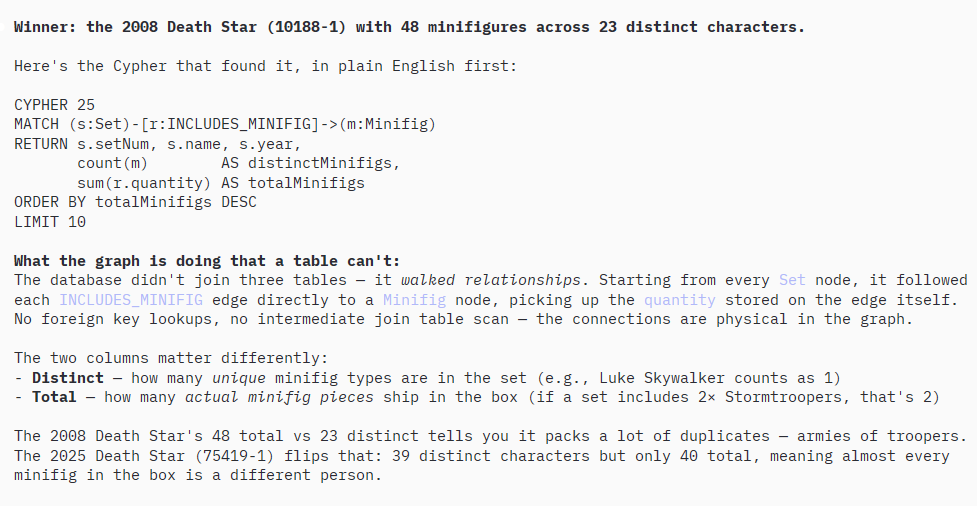
Since I don't know Cypher and I want to use the power of a Graph Database
where relationships are first class citizens -- tell me which Star Wars set
has the most minifigures?
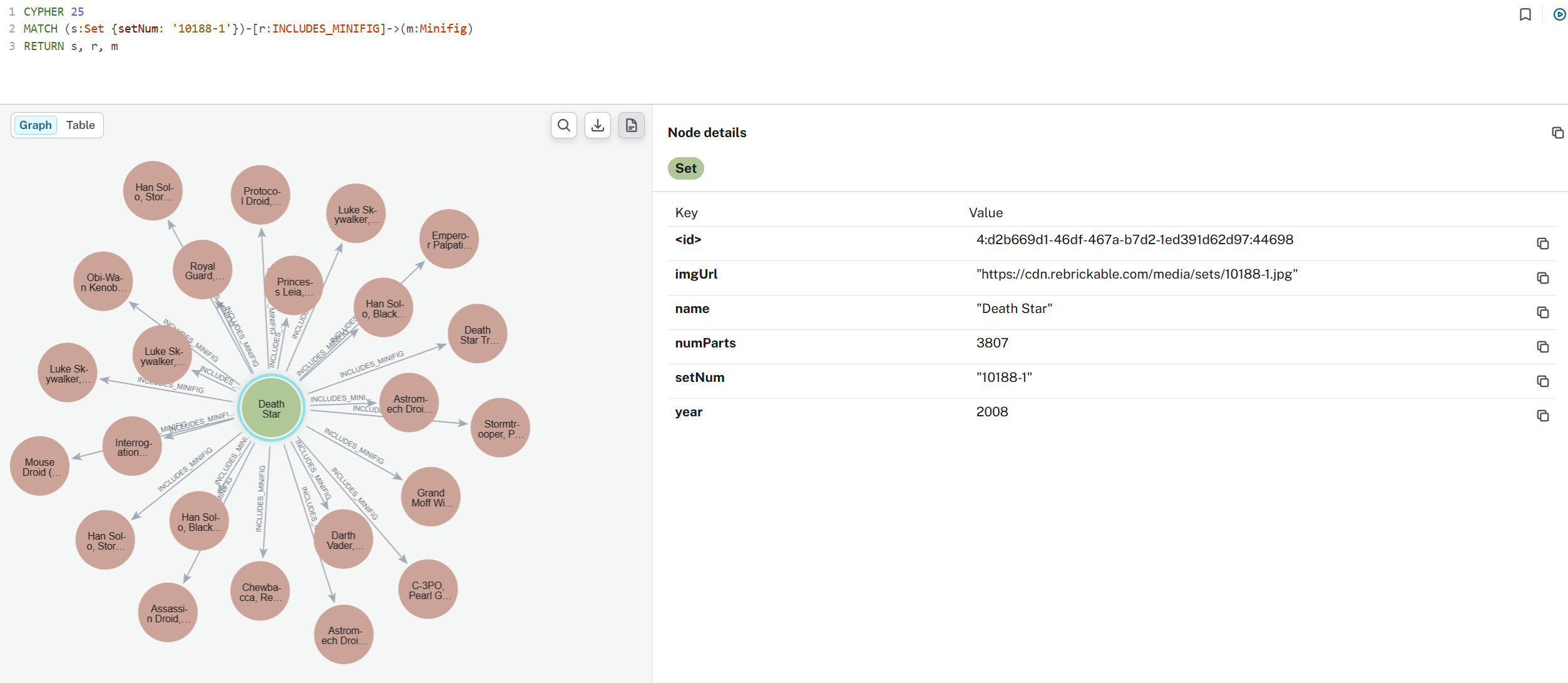
What this actually gives you
From five CSVs to a queryable, visualizable Star Wars graph – no Cypher knowledge required, no database needed to define the schema, and every query validated against a file that existed before the first node was written.
The workflow in one line: define → import → query, with the schema as ground truth the whole way through.
I started this wanting to answer one question: which Star Wars set has the most minifigures? I ended up contributing to an open source skill that makes the whole workflow possible for anyone starting from scratch.
Install it with one command:
npx skills add neo4j-contrib/neo4j-skills/neo4j-cypher-skill
Drop a <db-name>-schema.json in your project root. Point Claude Code at it. The rest follows.
The 2008 Death Star has been sitting one-third built on my shelf since 2008. Maybe now that it’s fully assembled in a graph database, I’ll finally finish the real one.
The original guardrail project: github.com/andwaller/neo4j-dynamic-schema-guardrail The cypher skill it became: neo4j-contrib/neo4j-skills